
Why do my emails go to spam?
Why do my emails end up in spam folders? It’s a question borne out of frustration or an unwanted situation, but it’s asked a lot. Hopefully this informative blog post will provide you with some insight regarding why your emails end up in spam folders, and what you can do to prevent your emails routing to spam folders.
Nobody likes spam.
Nobody likes spam. From your perspective it’s annoying, from our perspective, it’s more than annoying, it’s an ongoing problem.
The storage of spam emails (incoming spam).
The storage of spam emails (incoming spam).
You’ve probably got a few spam emails in your mailbox that you haven’t deleted. Now imagine everyone does this to varying degrees (some more than others). Also imagine that over time, more spam is stored.
For example’s sake, let’s say there’s about 100 MB of spam in each mailbox. If you consider that there might be 4000 mailboxes on a server, that’s 400000 MB of spam per server. Now consider that there’s 175 servers. That works out as 70000000 MB of spam (or 68359.375 GB, or 66.757 TB) of stored spam. That’s the equivalent of 14544.5 DVDs.
Take in to account that your friendly hosting provider has to pay for disks on which to store this spam. These disks are in servers that use electricity and rack space, both of which have to paid for as well.
Storing spam costs money, and has an energy overhead.
Reputational problems due to outgoing spam.
If you’ve ever had your mailbox password compromised, you’ll have probably seen a lot of “mail delivery failure” messages in your inbox. This is a consequence of someone using your mailbox to send spam. What you’re seeing is the spam that got rejected. This isn’t ALL the spam though, some got through.
When a lot of spam is sent from a server, the server often ends up n a blacklist. When this happens, all mailboxes held on the server (not just the one that was spamming) can have problems sending emails. This is because the mail server is effectively flagged as a known source of spam.
A lot of providers have a lot of measures in place to prevent spam, but these aren’t foolproof, and you have to bear in mind that the people sending the spam are trying really hard to do so, and they’re also very clever.
The big spam problems.
The big spam problems are mostly due to how computers and computer programs work.
A lot of spam can be sent in with a single click (or command).
Spammers write programs to send spam. Computers are very good at doing things when they’re told to by means of computer programs.
Spammers write programs to find email addresses on websites. Discovered email addresses end up on spam databases.
Spammers also write programs to send spam through unprotected contact forms, compromised mailboxes, PHP scripts and any other way they can.
A spammer can run a spamming program to generate and send spam from a compromised mailbox to email addresses on a spam database. They can run this program then go to the pub. The program runs spamming merrily away while the spammer inks a few pints and plays pool. You get the picture.
A lot of spam looks like legitimate email and a lot of legitimate email looks like spam.
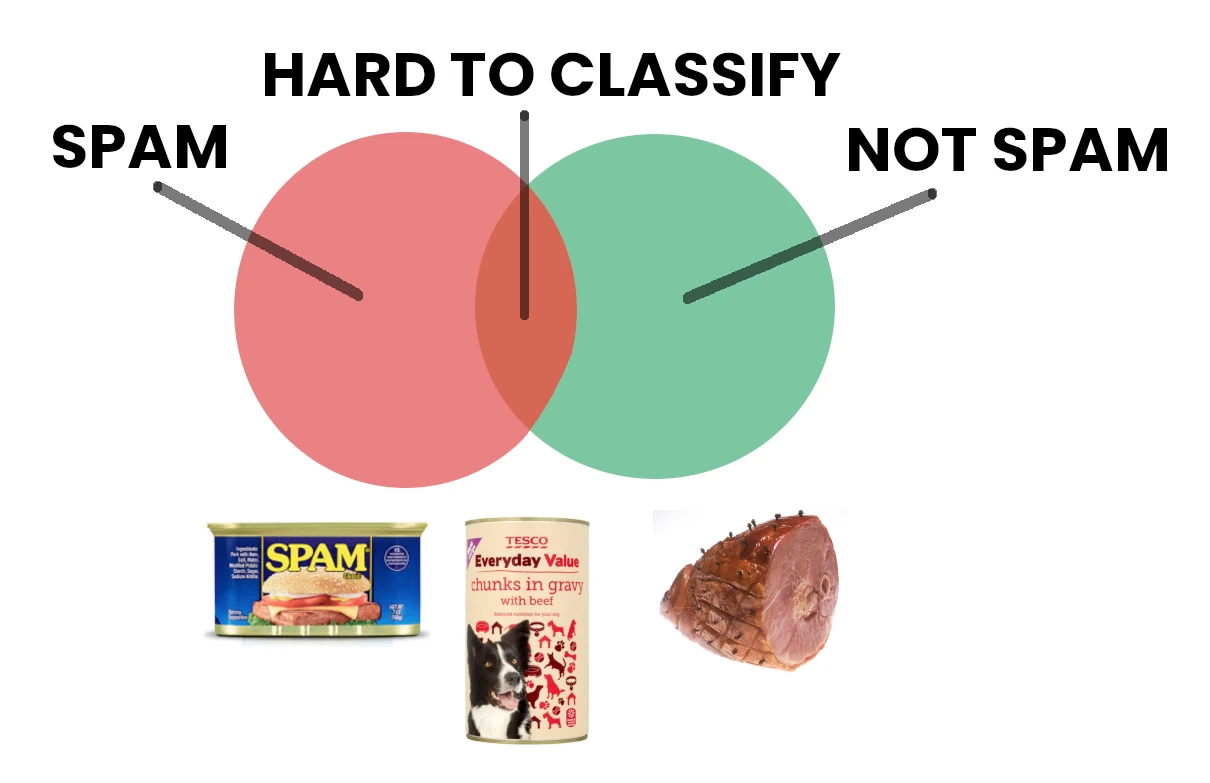
First things first: Conventional computers don’t know anything, nor do they have any intuition.
You might be able to identify spam from the mention of “Rolex watch” or “viagra” in a subject line, or the mention of “dictator” and “bank account” in the body of an email. Computers have to be programmed to do this, a bit like this:
if
subject line
contains
viagra
or
rolex
or
if
body
contains
dictator & bank account
then
junk email
And while that does look simple, what if you’re actually liaising with a jeweller by email about buying a watch!?
While this is a bit of an oversimplification, it highlights a point. You have to explicitly tell computers what to do when certain conditions are met. It’s quite easy to accidentally tigger some of these conditions accidentally.
Spam handling tends to be based on a collection of rules to minimise accidents.
The more rules that are triggered the more spam score an email accrues, and the mores score the more likely it is to result in an email being treated as spam.
Spam scoring can also work based on ratios. Emails that contain a small amount of text and a link (which a lot of spam does) have a high link to text ratio. Then again, if you have a link in your email signature and you send an email saying “are you free now?” that’s also got a high link to text ratio, and the computer lacks the intuition to tell the difference between the two.
Let’s face it, there’s going to be some accidental collateral damage somewhere, and that’s probably why your email routed to spam.
So what can you do about all this?
How to stop your emails routing to junk or spam folders.
Hopefully this guidance will help prevent your emails routing to junk or spam folders.
Make sure email validation DNS records are in place.
If you’re using a free mail provider such as GMail, hotmail or yahoo, these will be in place for you. If you’re using your own domain and email hosting is with nettnerd.com and your domain is using our nameservers these will be in place for you.
If you’re using your own domain and not using your email provider’s nameservers you might need to set these up yourself. You’ll need to obtain the SPF and DKIM records from your email provider, then deploy these with your DNS provider.
Your domain needs to have an SPF record in place for Gmail (and others) to accept your emails. This validates the email you’ve sent has originated from a legitimate source. DKIM records are used for a similar validation and also to prove your email hasn’t been tampered with. Both SPF and DKIM records being in place make your emails look very not like spam.
You can find out more about DKIM and SPF here and you can find guidance covering how to deploy DKIM and SPF for cPanel here.
Be sensible, don’t look like a program.
Are you sending emails in plain text? Are you thinking of leaving the subject line empty? Are you going to send a link with no accompanying text? Do you have 3 links in your email signature and you’re replying with “OK” and that’s all?
If you’re doing any of the above, your email looks a bit like spam. A few friendly conversational sentences, and making sure you enter text in the subject line makes your emails look a lot less like they were written by a robot. Whilst this might seem like more effort it’s less effort than a conversation about not getting a previously sent email, then having to resend it.
Avoid bulk mailing (or set up email marketing).
Think of it like this:
Most people converse in a one on one manner. Almost all spam is sent to more than one person. If you send an email to more than one recipient, you’re probably going to trigger some kind of “is that spam?” check.
Whilst it is easy to mass communicate with a number of people by copying them in to an email, it’s also easy for spammers to reach a wider range of people, by doing roughly the same thing.
The threshold at which you’re considered to be bulk mailing isn’t disclosed. Major mail providers have bulk sender guidelines which you’ll need to ensure you adhere to if you send to more recipients than the undisclosed bulk mailing threshold. You can read these here:
- Microsoft / hotmail / live
- Gsuite / Google Workspaces / Gmail / Googlemail
- Yahoo / AOL / Btinternet / Sky
Don’t try and be “clever” with your emails.
Receive via one mailbox send via the same mailbox. The end.
OK, sure, it is possible to mail forward from a personal domain based email address to a btinternet address, collect with a mail client, then send via the same btintnernet address with the personal domain based email address set as the from address. For this to work, and for your mail to be accepted, you’ll need to know how SPF (at least) and (maybe) DKIM work, and you’ll also need to know how to administer DNS.
If you can do all that, great, crack on, but if you can’t, the email you send will look like it’s come from somewhere it shouldn’t have. Spam also looks like this.
If you read the above and thought “what is this guy on about?” you’d be best to follow this advice:
Don’t be clever with your mail client config.
Don’t be tight fisted and only pay for a domain and use free mail forwarding.
Do get a hosting account or at least a domain specific mailbox.
Configure your mail client to both send and receive via the domain specific mailbox.
Use your mail provider’s nameservers so you don’t have to administer mail specific DNS records
Ask problematic recipients to whitelist your email address.
Most mail services offer whitelisting or safe sender listing. These are ways of telling your mail provider that you want to receive emails from specific senders, and for these emails not to be subject to anti spam checks. Think of it as the nightclub guest list of mail services. These guys can come in, those guys need checking.
Exactly how you carry out whitelisting varies between providers. In cPanel, it’s in
Spam filters > Show additional configurations > Edit spam whitelist settings
If you’re repeatedly sending to someone and your email always ends up in spam and you can’t work out why, asking the recipient to whitelist your email address is a good way of dealing with the problem with a minimum amount of fuss.
Why?
Why do you have to do all this? Surely you should be able to send an email and someone should receive it, right?
Well, you’re not wrong. You should. Then again, at the same time, mailbox users expect to not receive spam.
About 50% of all emails sent are spam.
As you know from the above, some spam looks like spam, some spam looks like legitimate emails, some legitimate emails look legitimate, but some legitimate emails look like spam. Got that? GREAT! Here’s the problem.
Computers Don’t Think
OK, so this has changed quite a lot recently with AI, but nobody’s going to use AI credits to filter your spam (unless they’re extremely rich).
Traditional spam filtering works like a normal computer program, and that program was typed by a human, the human had to program everything that could potentially happen, and what to do if it does, and there’s a LOT of variation with spam.
That amazing program might well be in development, but it’s going to take a long time to cover all the variations in spam, and it’s going to need to cover all the spam that might be written in the future. So not only is this program going to take a long time to write, we also need a time machine to be able cover the future spam.
Computers Lack Intuition
Again, this is maybe something that will change with AI, but traditional computers don’t think. All they do is run programs. That’s it. Everything that you see a computer do, it does because a human typed it that way.
Although some computers might LOOK like they’re thinking, they’re not. What you’re seeing is a forward thinking programmer cover the “what you as a user might do with your computer” in the code they write.
The computer doesn’t do the thinking. The programmer did that, then used that thinking to write a program that would work. Did they think of absolutely everything?
When you look at an email, you might think something like “this looks suspicious, it’s written in comic sans!”. For a computer to do the same a developer has to have coded something like:
if body.font = comicsans (then) make flag = red-sad-faceAs humans we intuit all the time! Does the man who’s walked up to me on the street and asked if I have a light really want a light… or is he going to steal my phone?… Well he is wearing a hoody.
(Sorry, if you are actually wearing a hoody right now).
If it was a robot being asked fro that light, it would need to programmed to be suspicious of the man wearing a hoody asking for a light (and to not give it a phone).
Anti-spam Methodology Changes Over Time
There was a time when DKIM and SPF didn’t exist. There was a time when DKIM and SPF existed but wasn’t often checked. There was a time when spammers were a Nigerian dictator with $4 million that they needed to get out the coutnry.
What the mail providers do to block spam the spammers try and work around.
When the spammers work around the anti-spam, the mail providers change how they work.
Repeat the two lines above, several times, and you’ve got an approximation of the last 5 -10 years of anti-spam.
Anti-Spam Methodology Varies Between Providers
Have you ever wondered why an email sent to tow recipients ends up in one recipients inbox, and the other recipients junk folder?
It’s because you’re sending to two different providers and each use different factors to determine how your mail should route.
Again, spammers will work round this. Even legitimate senders will try and work around this (by doing things like putting fake opt out links in their emials.
Put it Together and What Have You Got?
The chance your emails will be received: >0% and <100%
There’s a chance your email will be received, there’s a chance it won’t.
There’s a chance your email will route to an inbox, there’s a chance your email will route to junk or spam folders.
There’s a chance that the chances above vary between providers.
There’s a chance that what you put in the email will affect all the chances above.
That’s a lot of chance.
You can minimise the lack of disappointment by ensuring your mail validation records are in place, and by trying not to look like a robot.
Then again, for every legitimate mail sent, there’s a spam email sent, and the spammer sending that spam is also trying to not look like a robot.